Digital tip jar: how a tap becomes a tip
A digital tip jar lets you tip someone from your phone instead of with cash. With TipBop you tap the person's tag, a web page opens showing their first name and photo, you pick an amount and pay with Apple Pay, Google Pay or a card. The money goes to their own account.
What a digital tip jar is
A tip jar on a counter works because it asks for nothing. You have a coin, the jar is there, you drop it in. A digital tip jar tries to keep that feeling for the many people who no longer carry cash.
TipBop's version is a small object called a tag. It might be a fob on a lanyard, a keychain or a card. It can also be a QR code, for phones that would rather scan than tap. Whichever it is, it points at one person's page, and that page pays that person.
The design law we work to is simple: a tap should feel as plain as handing someone a tenner. If a feature puts a step between the wish to tip and the money arriving, we leave it out.
This guide follows one tip from start to finish. For a short version of what you will see, read how it works. For the questions people ask before they sign up to be tipped, read TipBop questions.
What happens when you tap
You hold your phone near the tag. Your phone opens a web page in the browser you already have. There is nothing to download and no account to make.
The page shows a short list of things, and only these:
- the first name of the person you are about to pay
- their photo, or a simple face if they have not added one
- a few amounts to choose from, with one already selected
- the fee, written in words next to the amount
- one button that says what you will pay
Here is the page for Amara, a fixture we use for screenshots, not a real person.
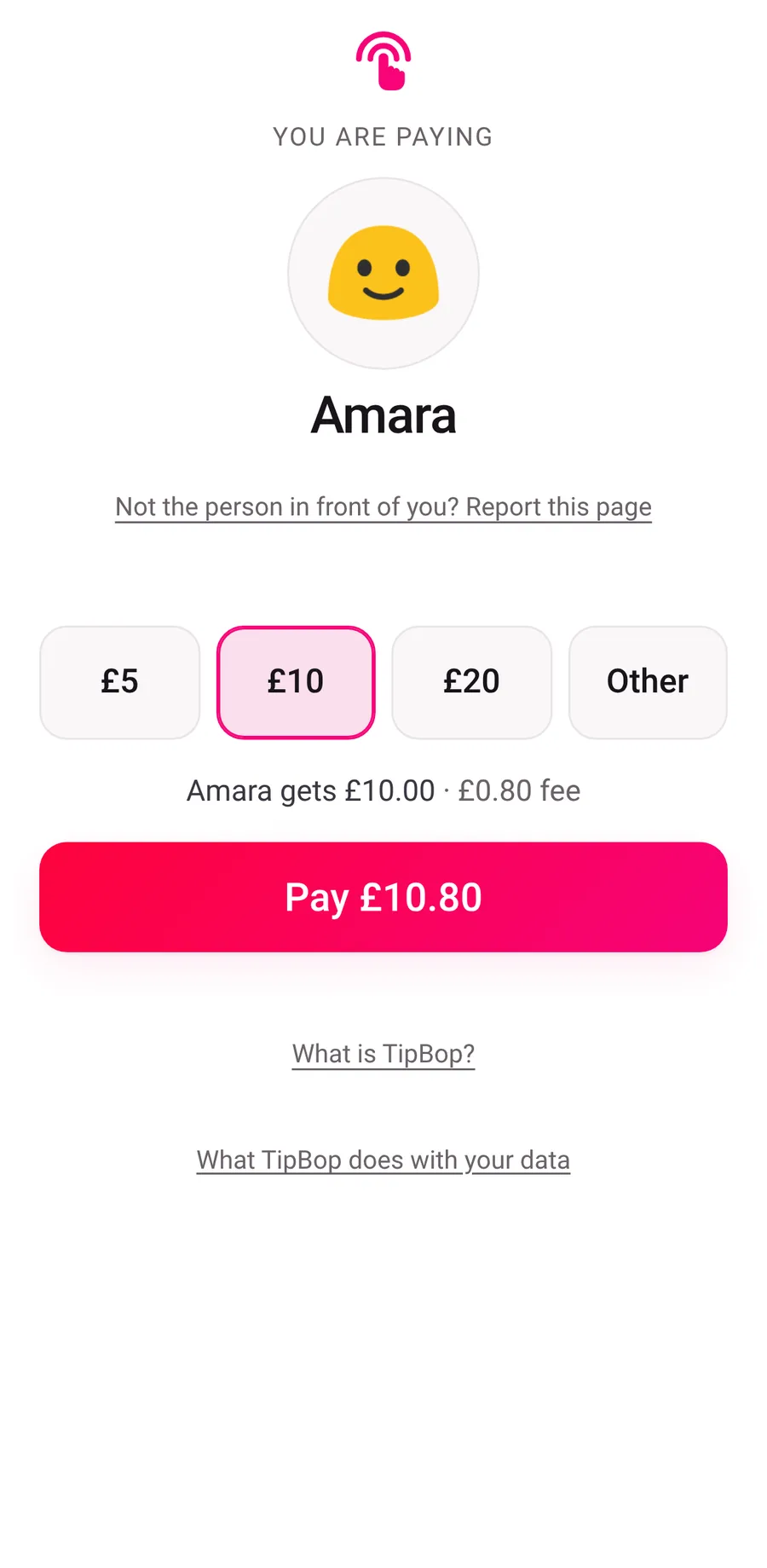
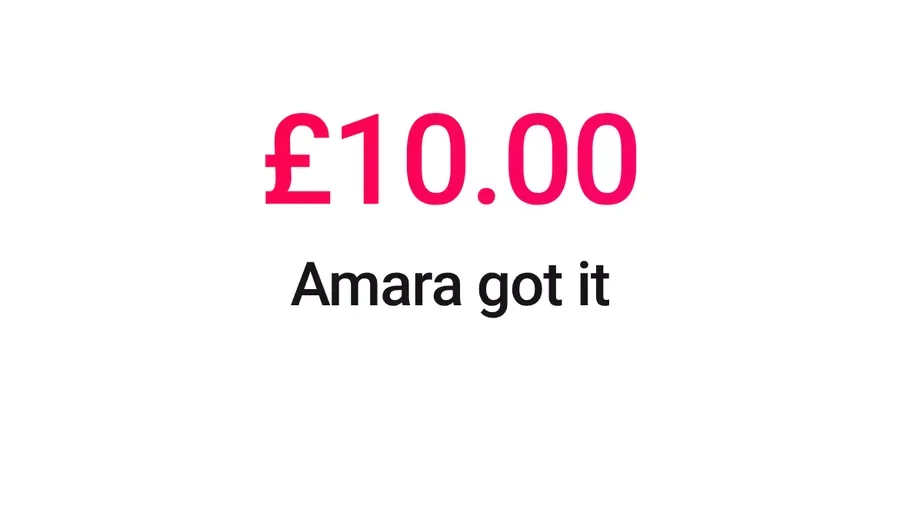
You choose an amount, then pay with Apple Pay, Google Pay or a card. When the payment goes through, the page tells you it is done. You can take a receipt there and then, as a PDF or by email. Closing the page ends it.
If you would rather not tap, you do not have to. Nothing happens until you choose an amount and pay.
Why it works on any phone
We hold the tip page to a small budget: three requests and 25KB. A page that small opens quickly on a weak signal, which matters in a hallway, a taxi or a salon with thick walls.
Two other choices follow from the same thought.
- The amount buttons work before anything else has loaded. They are ordinary form controls, so they work, and read correctly to a screen reader, even if the page's scripts have not arrived yet.
- The payment company loads after the page. Card and wallet payments are handled by Stripe, a payment company, and its code is kept off the critical path so the amounts appear first.
The page is also short on detail on purpose. It shows a first name and a photo and nothing else about the person: no surname, no links to social accounts, no follow button, no message box. Someone who wears a tag is offering a way to be paid, not a way to be found.
What the page says about money
The amount you choose is the amount the person receives. Our fee is 40p plus 4% of the tip, and it is added on top rather than taken out. On £5 you pay £5.60. On £10 you pay £10.80. The page shows you the total before you pay, and the fee is the same whichever way you pay.
The smallest tip is £2.00 and the largest is £250.00. The fee has no cap: it grows with the tip, because a cap would stop covering what card payments cost us on bigger tips. We wrote up the arithmetic and the reasoning in the customer pays the fee.
Where the money goes next is its own question, and it has its own guide: where does a digital tip go. The short version is that it goes to a payment account in the worker's own name, and TipBop never holds it.
How it compares with a jar on a counter
It is a tip jar in the sense that matters. You give, they receive, and nothing is taken out of what you meant to give.
It is different in three ways. It works from your phone with no coins. It tells you the fee before you pay. And the person tipped can see each tip arrive in their own app, which a jar on a counter cannot do.
If you want to know what to expect when you are the one tipping, the tipping page covers it, including how to check you are on the right page. If you run a venue and wonder what this means for you, the employers page says what a venue does and does not have to do.
Questions
Do I need to download an app to tip?
No. A tag opens a web page in your phone's browser. You do not need an app or an account, and we do not ask for your email unless you want a receipt. The person being tipped uses the TipBop app to see their tips, but that is nothing you need.
How do I know I am on the right page?
Check the address at the top of your browser. It should begin with tipbop.com. A tag is a piece of plastic and anyone can print one, so the address is the check that matters. The page also shows the first name and photo of the person you are paying, before you pay anything.
Can I tip without tapping a tag?
Yes. The same page can be opened from a QR code or from the person's own link, and it looks the same whichever way you reach it. Nothing is charged until you have chosen an amount and confirmed the payment with your card or wallet, so opening it costs you nothing.
What does a tip cost me?
You pay the tip you chose plus our fee, which is 40p plus 4% of the tip. On a £5 tip that is £5.60, and the person receives £5.00. The fee is shown in words before you pay. It is never taken out of the person's tip.
Sources
- TipBop, How it works (read 17 November 2026)
- TipBop, Tipping somebody with TipBop (read 17 November 2026)
- TipBop, Questions (read 17 November 2026)
- TipBop engineering record: the customer tip page and its design notes, the worker web app contract (the tip page budget of three requests and 25KB), and the decision that the thing you tap is called a tag
- TipBop engineering record: the money rules and their invariant tests (fee of 40p plus 4%, no cap, minimum £2.00, maximum £250.00)
Keep reading
Your tips. Your bank account. Nobody in between.
Install app